


Reviews
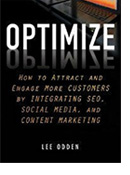 Book Review
Optimze: Secrets for Selling to the Subconcious Mind
Optimize is designed to give readers a practical approach to integrating search and social media optimization with content marketing to boost relevance, visibility, and customer engagement.
Read the review
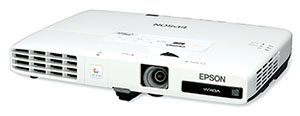 Multimedia Projector Review
Epson Powerlite 1775W Multimedia Projector Review
Tired of lugging a large laptop and bulky projector, we selected the Epson 1775W-LT to review for on-the-road presentations connected to a tablet.
Read the review
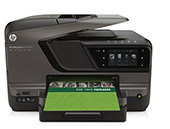 Printer Review
HP All-in-One Printer Review
When buying your next office printer, as technology evolves it is important consider whether the device you purchase can work you're your tablets and smart phones as well as the traditional desktop and laptops.
Read the review
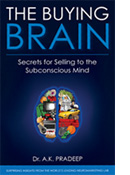 Book Review
The Buying Brain: Secrets for Selling to the Subconcious Mind
Did your ads fail because they used an approach that simply would not engage your target audience? This book addresses how to turn that around and making the sell to the right audience.
Read the review
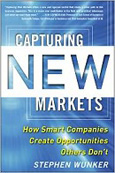 Book Review
Capturing New Markets
Stephen Wunker's excellent book tackles why new markets matter and fills with strategies and methods geared toward creating new opportunities and generating profit from underexploited markets.
Read the review
 Book Review
Ignite the Third Factor
Dr. Peter Jensen takes on an issue facing coaches, managers and leaders everywhere: how to get people committed to reaching their full potential.
Read the review
Archived Reviews:
- Book Review:Wal-Mart's Egonomics
- Software Review: Adobe CS5.5
- Book Review: Enterprise Social Technology
- Book Review: How to Sell Anything to Anyone at Anytime
- Book Review: Getting Work with the Federal Government
- Book Review:The Limits of Strategy
- Book Review:Selling Q&A's
- Book Review:Six Pixels of Separation
- Book Review:The Successful Management of Independent Business
- Book Review:Toronto Book of Everything
- Book Review: Egonomics
- Book Review: grown up digital
- Book Review: 8 Options for your Summer Booklist
- Book Review: Two Great Books for Business
- Book Review: Report Review: The Facebook Application Ecosystem
- Book Review: How to Write a Non-Fiction Book in 60 Days
- Book Review: Good to Great
- Book Review: Step into the Spotlight
- Book Review: Writing for the Web 3.0
- Book Review: The "I" of the Storm
- Software Review: Quickbooks Premiere 2007
- Book Review: Why Customers Do What They Do
- Book Review: Identity Theft Toolkit
- Book Review: Billionaire in Training
- Book Review: Smoke and Mirrors
- Book Review: Strategy Moves
- Book Review: How to Make Money Online with eBay, Yahoo!, & Google
- Book Review: Walking the Tightrope
- Book Review: Redefining F.E.A.R.
- Software Review: Quickbooks EasyStart
- Book Review: Who Stole My Customer?: Winning Strategies for Creating and Sustaining Customer Loyalty
- Book Review: Sold! How to Make it Easy for People to Buy from You
- Book Review: Your Marketing Sucks
- Printer Review: Canon i860
- Book Review: Taming Technology: You Can Control the Beast
- Book Review: Dr. Peeling's Principles of Management
- Book Review: The Strategic Enterprise: Growing a Business for the 21st Century
- Book Review: Make Sure It's Deductible
- The Gettysburg Approach to Writing & Speaking Like a Professional
- Book Review: Psychology of Executive Retirement from Fear to Passion
- Toyota Kata